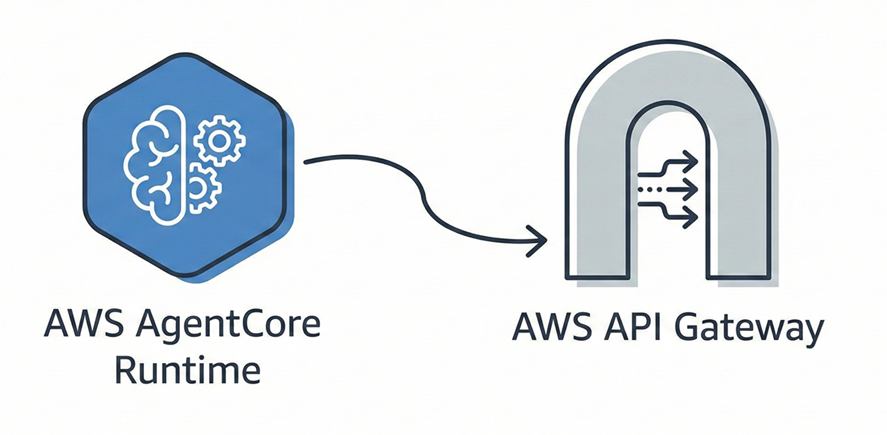
AWS AgentCore + AWS API Gateway
Article 2: Exposing Your Agent via REST API with AWS AgentCore
Series: Backoffice Support Agent with AWS AgentCore
Table of Contents
- Introduction
- Architecture
- Prerequisites
- Direct Agent Invocation
- Webhook Infrastructure with CDK
- Infrastructure Deployment
- Post-Deployment Configuration
- Testing and Validation
- Troubleshooting
- Next Steps
Introduction
In Article 1, we deployed our support agent with AWS AgentCore Runtime. The agent is working and can be invoked via the agentcore invoke CLI.
But how do we allow external systems (like ServiceNow) to call our agent? That’s what we’ll solve in this article.
What You Will Build
In this article, we will:
- ✅ Understand how to invoke the agent via the AWS
bedrock-agentcoreAPI - ✅ Deploy a complete webhook infrastructure with AWS CDK
- ✅ Create a secure REST API with API Gateway
- ✅ Configure a Lambda that bridges the API and the agent
- ✅ Test everything with curl
Estimated Time
⏱️ 30-45 minutes to complete this tutorial.
Architecture
Overview
┌─────────────────┐     ┌─────────────────┐     ┌─────────────────┐     ┌─────────────────┐
│                 │     │                 │     │                 │     │                 │
│  HTTP Client    │────▶│  API Gateway    │───▶│     Lambda      │───▶│  AgentCore      │
│  (curl, app)    │     │  + API Key      │     │  (handler.py)   │     │  Runtime        │
└─────────────────┘     └─────────────────┘     └─────────────────┘     └─────────────────┘
                              │                        │
                              │                        │
                              ▼                        ▼
                        CloudWatch              Secrets Manager
                          Logs                  (credentials)
Why This Architecture?
- API Gateway: Secure entry point with API Key authentication, throttling, and logging
- Lambda: Transformation logic between the HTTP request format and the format expected by AgentCore
- AgentCore Runtime: Our agent deployed in Article 1
- Secrets Manager: Secure storage of credentials (used in Article 3)
Data Flow
- A client sends a POST request to
/webhook/servicenowwith ticket data - API Gateway validates the API Key and forwards to Lambda
- Lambda parses the payload, builds the prompt, and calls AgentCore
- AgentCore executes the agent that analyzes the ticket
- The response flows back up to the client
Prerequisites
From Article 1
- ✅ Agent deployed with
agentcore launch - ✅ Agent ARN available in
.bedrock_agentcore.yaml
New Prerequisites
-
Node.js and npm (for AWS CDK)
node --version # v18.x or higher recommended npm --version -
AWS CDK CLI
npm install -g aws-cdk cdk --version -
Docker (for Lambda build)
docker --version
Direct Agent Invocation
Before building the infrastructure, let’s understand how to invoke the agent programmatically.
The bedrock-agentcore Client
AWS provides a specific boto3 client for AgentCore:
import boto3
import json

# Create the bedrock-agentcore client
client = boto3.client('bedrock-agentcore', region_name='eu-central-1')

# Prepare the payload
payload = json.dumps({
    "prompt": "Analyze this ticket: INC0001234 - VPN connection issues"
})

# Invoke the agent
response = client.invoke_agent_runtime(
    agentRuntimeArn='arn:aws:bedrock-agentcore:eu-central-1:ACCOUNT_ID:runtime/AGENT_ID',
    runtimeSessionId='unique-session-id-minimum-33-characters',
    payload=payload,
    qualifier="DEFAULT"
)

# Read the response
response_body = response['response'].read()
response_data = json.loads(response_body)
print("Agent Response:", response_data)
Important Parameters
| Parameter | Description | Constraints |
|---|---|---|
agentRuntimeArn | Full ARN of the deployed agent | Format: arn:aws:bedrock-agentcore:REGION:ACCOUNT:runtime/AGENT_ID |
runtimeSessionId | Unique session identifier | Minimum 33 characters |
payload | Data to send to the agent | Stringified JSON with prompt key |
qualifier | Agent version | DEFAULT for the active version |
Retrieving Your Agent ARN
The ARN is found in the .bedrock_agentcore.yaml file generated during deployment:
grep "agent_arn" .bedrock_agentcore.yamlExample output:
agent_arn: arn:aws:bedrock-agentcore:eu-central-1:653783183133:runtime/agent_level_one_triage-9rGFpG5ZFxWebhook Infrastructure with CDK
Now, let’s create the infrastructure that will expose our agent via a REST API.
CDK Project Structure
infrastructure/
└── cdk/
    ├── bin/
    │   └── app.ts              # CDK entry point
    ├── lib/
    │   └── servicenow-webhook-stack.ts  # Stack definition
    ├── package.json
    ├── tsconfig.json
    └── cdk.json
The CDK Stack
Here are the main components of our stack (lib/servicenow-webhook-stack.ts):
1. IAM Role for Lambda
const lambdaRole = new iam.Role(this, 'WebhookLambdaRole', {
  assumedBy: new iam.ServicePrincipal('lambda.amazonaws.com'),
  managedPolicies: [
    iam.ManagedPolicy.fromAwsManagedPolicyName('service-role/AWSLambdaBasicExecutionRole'),
  ],
});

// Permission to invoke AgentCore
lambdaRole.addToPolicy(
  new iam.PolicyStatement({
    effect: iam.Effect.ALLOW,
    actions: ['bedrock-agentcore:InvokeAgentRuntime'],
    resources: ['arn:aws:bedrock-agentcore:eu-central-1:ACCOUNT_ID:runtime/*'],
  })
);
Important: The bedrock-agentcore:InvokeAgentRuntime permission is specific to AgentCore. Do not confuse with bedrock:InvokeAgent which is for classic Bedrock Agents.
2. Lambda Function
const webhookHandler = new lambda.Function(this, 'WebhookHandler', {
  runtime: lambda.Runtime.PYTHON_3_12,
  handler: 'handler.lambda_handler',
  code: lambda.Code.fromAsset(path.join(__dirname, '../../../src/webhook')),
  role: lambdaRole,
  timeout: cdk.Duration.seconds(300),  // 5 minutes to give the agent time
  memorySize: 512,
  environment: {
    LOG_LEVEL: 'INFO',
  },
});
3. API Gateway with API Key
const api = new apigateway.RestApi(this, 'ServiceNowWebhookApi', {
  restApiName: 'ServiceNow Webhook API',
  deployOptions: {
    stageName: 'prod',
    loggingLevel: apigateway.MethodLoggingLevel.INFO,
  },
});

// API Key to secure access
const apiKey = new apigateway.ApiKey(this, 'ServiceNowApiKey', {
  apiKeyName: 'servicenow-webhook-api-key',
  enabled: true,
});

// POST route /webhook/servicenow
const webhookResource = api.root.addResource('webhook');
const servicenowResource = webhookResource.addResource('servicenow');
servicenowResource.addMethod('POST', new apigateway.LambdaIntegration(webhookHandler), {
  apiKeyRequired: true,
});
The Lambda Handler
The src/webhook/handler.py file bridges the API and AgentCore:
import boto3
import json
import os
import uuid

# AgentCore client
bedrock_agentcore = boto3.client("bedrock-agentcore", region_name="eu-central-1")
AGENT_RUNTIME_ARN = os.environ.get("AGENT_RUNTIME_ARN")

def generate_session_id(incident_number: str) -> str:
    """Generates a session ID of 33+ characters"""
    base = f"servicenow-{incident_number}-{uuid.uuid4().hex}"
    return base[:50]

def lambda_handler(event, context):
    # Parse the request body
    body = json.loads(event.get("body", "{}"))

    # Extract ticket data
    incident_number = body.get("number", "UNKNOWN")

    # Build the prompt
    prompt = f"""Analyze the following ServiceNow incident:
    Ticket Number: {incident_number}
    Description: {body.get("description", "")}
    Priority: {body.get("priority", "")}
    """

    # Invoke the agent
    response = bedrock_agentcore.invoke_agent_runtime(
        agentRuntimeArn=AGENT_RUNTIME_ARN,
        runtimeSessionId=generate_session_id(incident_number),
        payload=json.dumps({"prompt": prompt}),
        qualifier="DEFAULT"
    )

    # Return the response
    response_body = response["response"].read()
    return {
        "statusCode": 200,
        "body": json.dumps({
            "success": True,
            "analysis": json.loads(response_body)
        })
    }
Infrastructure Deployment
1. Install CDK Dependencies
cd infrastructure/cdk
npm install
2. Bootstrap CDK (first time only)
npm run cdk bootstrapThis command creates the resources needed by CDK in your AWS account.
3. Deploy the Stack
npm run cdk deployDeployment takes about 2-3 minutes. At the end, you’ll see the outputs:
Outputs:
ServiceNowWebhookStack.WebhookURL = https://xxxxxx.execute-api.eu-central-1.amazonaws.com/prod/webhook/servicenow
ServiceNowWebhookStack.ApiKeyId = xxxxxxxxxx
ServiceNowWebhookStack.LambdaFunctionName = ServiceNowWebhookStack-WebhookHandler-xxxxx
ServiceNowWebhookStack.GetApiKeyCommand = aws apigateway get-api-key --api-key xxxxxxxxxx --include-value --query 'value' --output text
4. Retrieve the API Key
aws apigateway get-api-key --api-key <API_KEY_ID> --include-value --query 'value' --output textNote this value, you’ll need it for testing.
Post-Deployment Configuration
Configure the Agent ARN
The Lambda needs to know your agent’s ARN. Configure the environment variable:
aws lambda update-function-configuration \
  --function-name <LAMBDA_FUNCTION_NAME> \
  --environment "Variables={AGENT_RUNTIME_ARN=arn:aws:bedrock-agentcore:eu-central-1:ACCOUNT_ID:runtime/AGENT_ID,LOG_LEVEL=INFO}"
Replace:
<LAMBDA_FUNCTION_NAME>: The Lambda function name (see CDK output)ACCOUNT_ID: Your AWS account IDAGENT_ID: Your agent ID (from.bedrock_agentcore.yaml)
Verify the Configuration
aws lambda get-function-configuration \
  --function-name <LAMBDA_FUNCTION_NAME> \
  --query 'Environment.Variables'
Testing and Validation
Test with curl
curl --location 'https://YOUR_API_GATEWAY_URL/prod/webhook/servicenow' \
  --header 'x-api-key: YOUR_API_KEY' \
  --header 'Content-Type: application/json' \
  --data '{
    "number": "INC0001234",
    "short_description": "Cannot access email",
    "description": "User cannot send or receive emails since this morning",
    "urgency": "2",
    "impact": "2",
    "priority": "2",
    "category": "Email",
    "assignment_group": "IT Support Level 1"
}'
Expected Response
{
  "success": true,
  "incident_number": "INC0001234",
  "analysis": "**Summary of the issue:**\nUser cannot send or receive emails since this morning...",
  "message": "Incident analyzed successfully"
}
Check CloudWatch Logs
# Find the log group
aws logs describe-log-groups --log-group-name-prefix /aws/lambda/ServiceNowWebhookStack

# View the latest logs
aws logs tail /aws/lambda/ServiceNowWebhookStack-WebhookHandler-xxxxx --follow
Troubleshooting
Error: “not authorized to perform bedrock-agentcore:InvokeAgentRuntime”
Cause: The Lambda’s IAM role doesn’t have the permission.
Solution: Verify that the CDK stack includes:
actions: ['bedrock-agentcore:InvokeAgentRuntime'],And redeploy with npm run cdk deploy.
Error: “AGENT_RUNTIME_ARN environment variable not set”
Cause: The environment variable is not configured.
Solution: Execute the aws lambda update-function-configuration command from the Configuration section.
Error: “runtimeSessionId must be at least 33 characters”
Cause: The session ID is too short.
Solution: The handler automatically generates a 50-character ID. If you’re testing manually, make sure to use a sufficiently long ID.
Error: “Response ended prematurely”
Cause: Connection issue with Bedrock (usually temporary).
Solution: Retry after a few seconds. If the problem persists, check:
- The agent’s region
- Bedrock quotas
- Bedrock service status
Error 403 Forbidden
Cause: Missing or invalid API Key.
Solution: Verify that you’re including the x-api-key header with the correct value.
Next Steps
Congratulations! 🎉 Your agent is now accessible via a secure REST API.
In the next article (Article 3), we will:
🔜 Connect ServiceNow to our API via Business Rules and REST Messages 🔜 Modify the agent to update ServiceNow with real API calls 🔜 Configure credentials in AWS Secrets Manager 🔜 Test the complete flow: ticket creation → automatic analysis → update
Git Branch: step-03-servicenow-integration
Resources
Documentation
Source Code
- GitHub Repository
- Branch:
step-02-servicenow-integration